Screen mirroring · iOS utility
AirPlay: Smart TV Cast
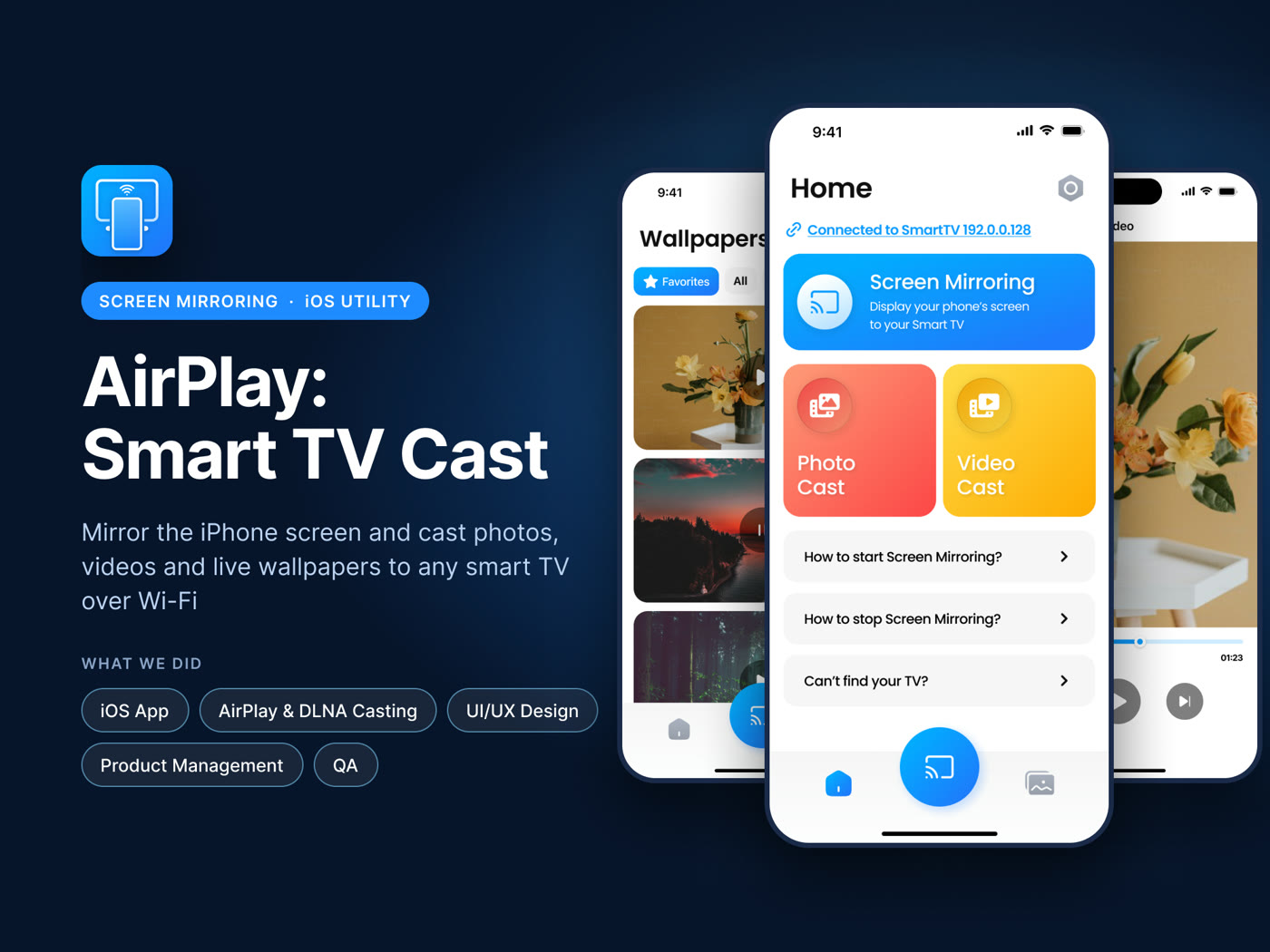
Mirror the iPhone screen and cast photos, videos and live wallpapers to any smart TV over Wi-Fi.
- 150K+
- downloads
- 4.6★
- App Store rating
- 1 tap
- to connect
The challenge
Mirror the iPhone and cast media to any smart TV without cables or extra hardware.
The problem
Casting from an iPhone to a TV that is not an Apple TV usually means a cable, a dongle, or giving up. People do not want to learn a protocol; they want the photo on the big screen.
What we decided
Mirroring runs through ReplayKit, and casting photos, videos and live wallpapers goes over AirPlay or DLNA depending on what the TV actually speaks — the app decides, the person does not. Once the TV is found, connecting is one tap.
How it shipped
Native iOS with a 3D onboarding sequence that shows the result before asking for the trial.
Tech & integrations
What we built
- Screen mirroring
- Photo and video casting
- Live wallpapers on the TV
- 3D onboarding and trial paywall
Inside the app
Want one like this?
Tell us what you are building. We come back within one business day with questions, a rough estimate and next steps.